TB - GNS3 Lab: VLANs and Trunks (Part 2) with GNS3Vault
by C. Casquatch
In this blog, I walk through the lab step-by-step and include screenshots to document my process and learning.
Shoutout to Rene Molenaar for giving people access to these practices through labs like these: https://gns3vault.com/switching/vlans-and-trunks Which is what I am basing this post off of. I have tweaked only one thing and that is which interfaces I use, as mine are gigabit ethernet and not fast ethernet.
🧪 VLAN & Trunking Lab – Step-by-Step Configuration Guide (Gigabit Interfaces)
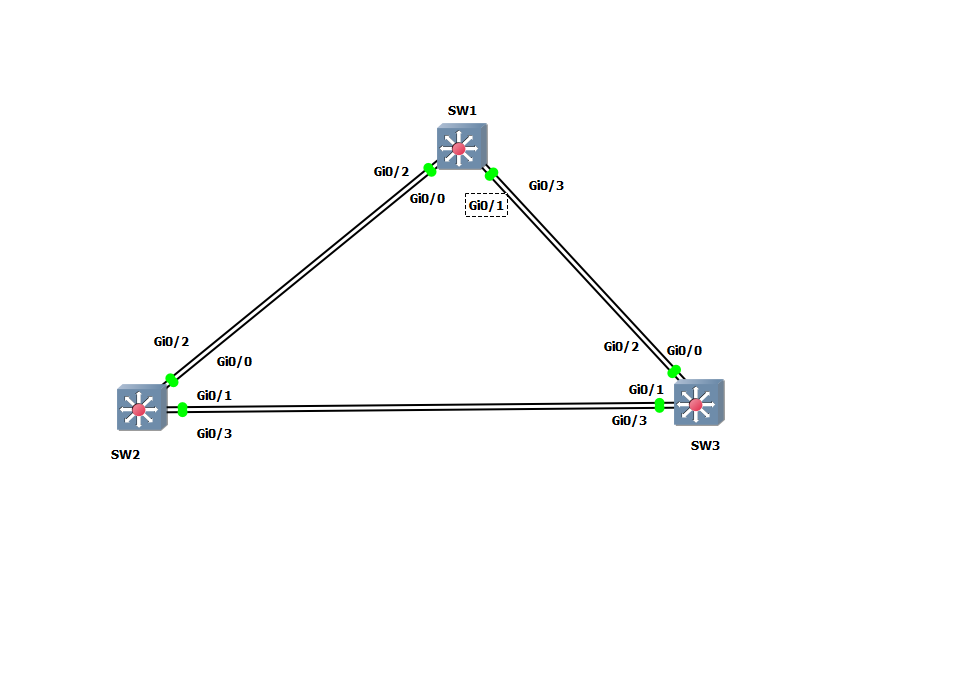
This lab builds on VLAN and trunking configuration using Gigabit interfaces between three Layer 2 switches (SW1, SW2, SW3) in a custom topology. I will configure VLANs, trunking protocols, DTP behavior, allowed VLANs, and native VLANs.
🖥️ Lab Topology Overview
Connections:
- SW2 Gi0/2 ↔ SW1 Gi0/2
- SW2 Gi0/0 ↔ SW1 Gi0/0
- SW2 Gi0/1 ↔ SW3 Gi0/1
- SW2 Gi0/3 ↔ SW3 Gi0/3
- SW1 Gi0/1 ↔ SW3 Gi0/2
- SW1 Gi0/3 ↔ SW3 Gi0/0
🎯 Lab Goals
- Create and name VLANs: 10, 20, 30, 40, 50
- Configure SW1 Gi0/1 as access port in VLAN 10
- Configure SW2 Gi0/1 as access port in VLAN 20
- Use ISL encapsulation between SW2 Gi0/2 and SW1 Gi0/2
- Prevent trunk negotiation on link SW2 Gi0/1 ↔ SW3 Gi0/1
- Block DTP on SW1 Gi0/3 ↔ SW3 Gi0/0
- Allow only VLANs 1,10,20 on SW2 Gi0/2 ↔ SW1 Gi0/2
- Allow only VLANs 1,10,20,40,50 on SW2 Gi0/1 ↔ SW3 Gi0/1
- Set VLAN 50 as native VLAN on SW1 Gi0/3 ↔ SW3 Gi0/0
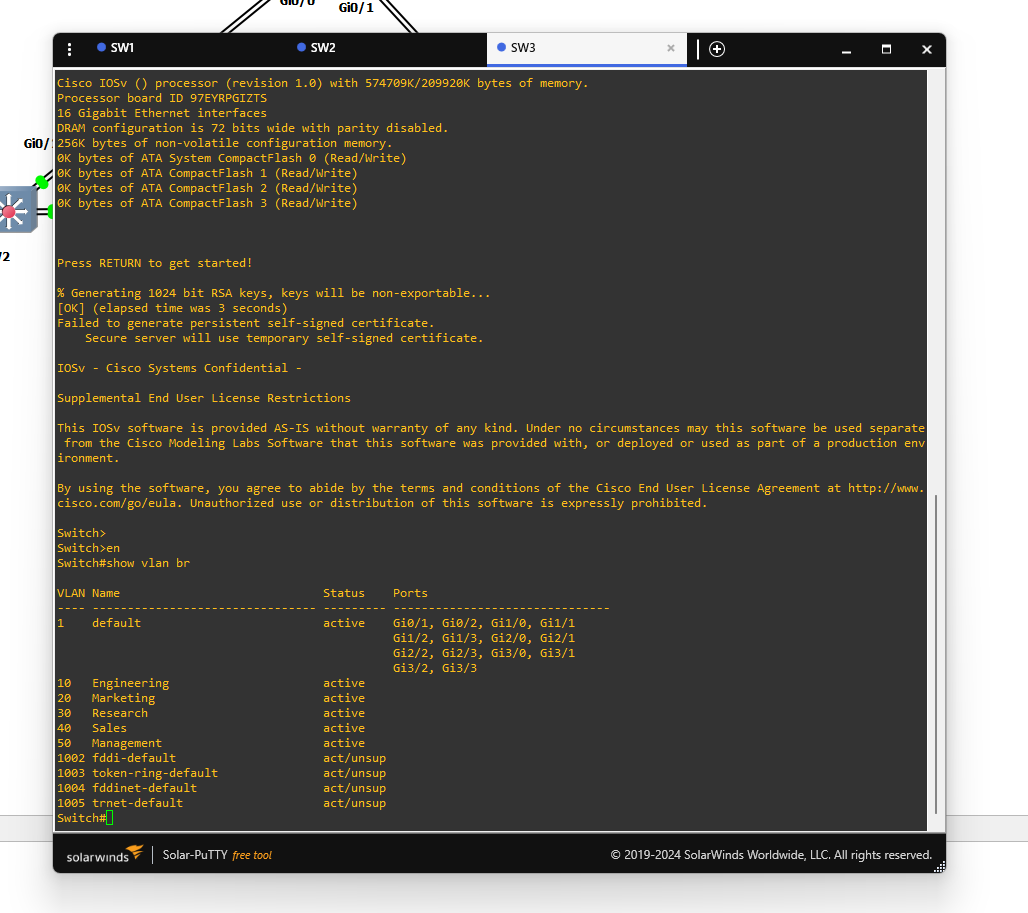
🔧 Step 1: Create VLANs on All Switches
configure terminal
vlan 10
 name Engineering
vlan 20
 name Marketing
vlan 30
 name Research
vlan 40
 name Sales
vlan 50
 name Management
exit
🔌 Step 2: Configure Access Ports
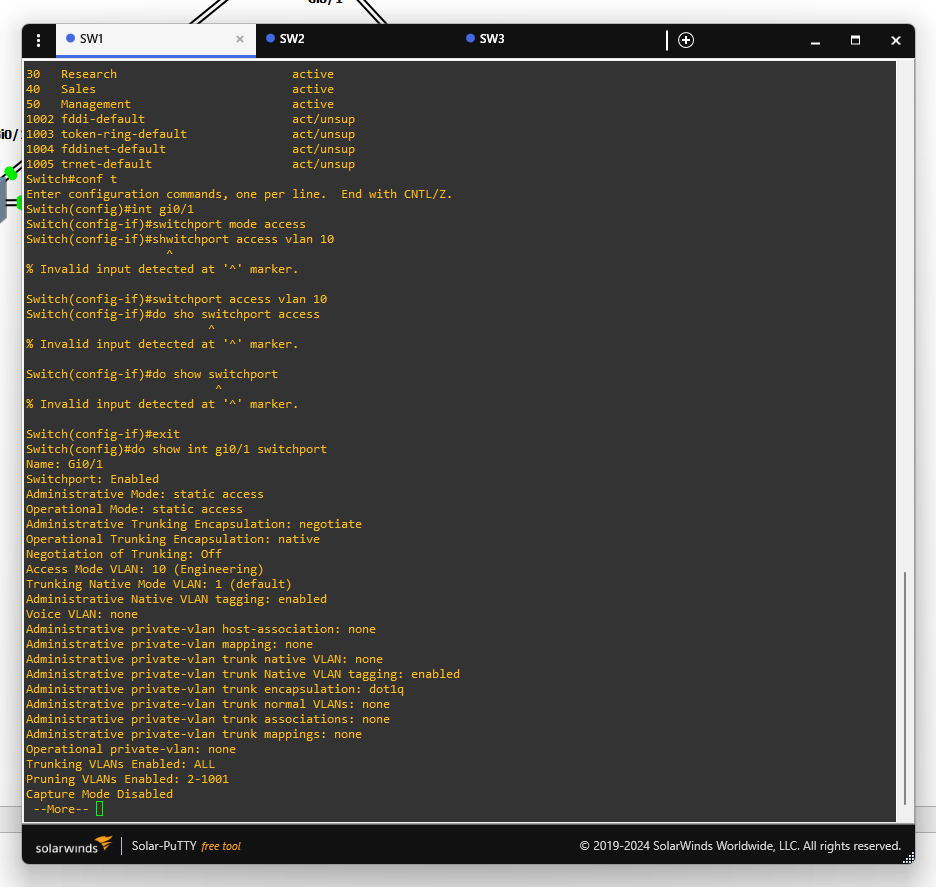
On SW1 (Gi0/1):
interface gi0/1
 switchport mode access
 switchport access vlan 10
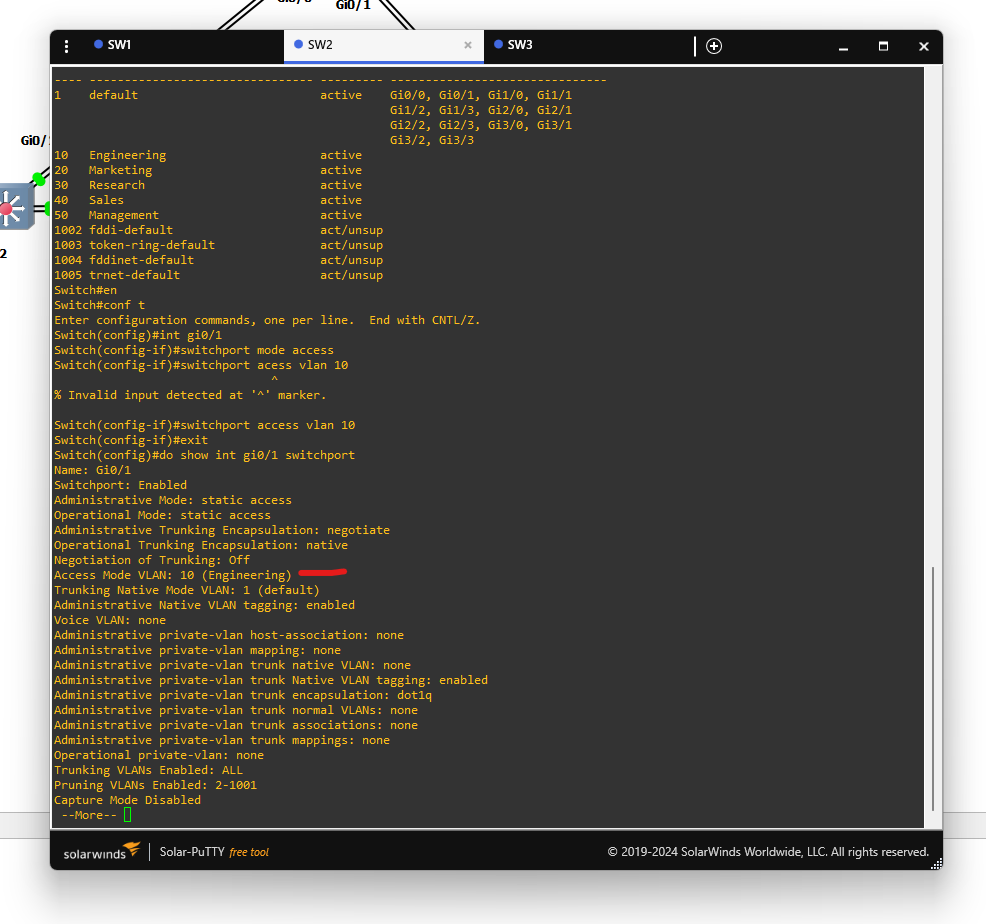
On SW2 (Gi0/1):
interface gi0/1
 switchport mode access
 switchport access vlan 20
Checking the access port vlan assignments on sw1 and sw2 with
show int 'interface' switchport
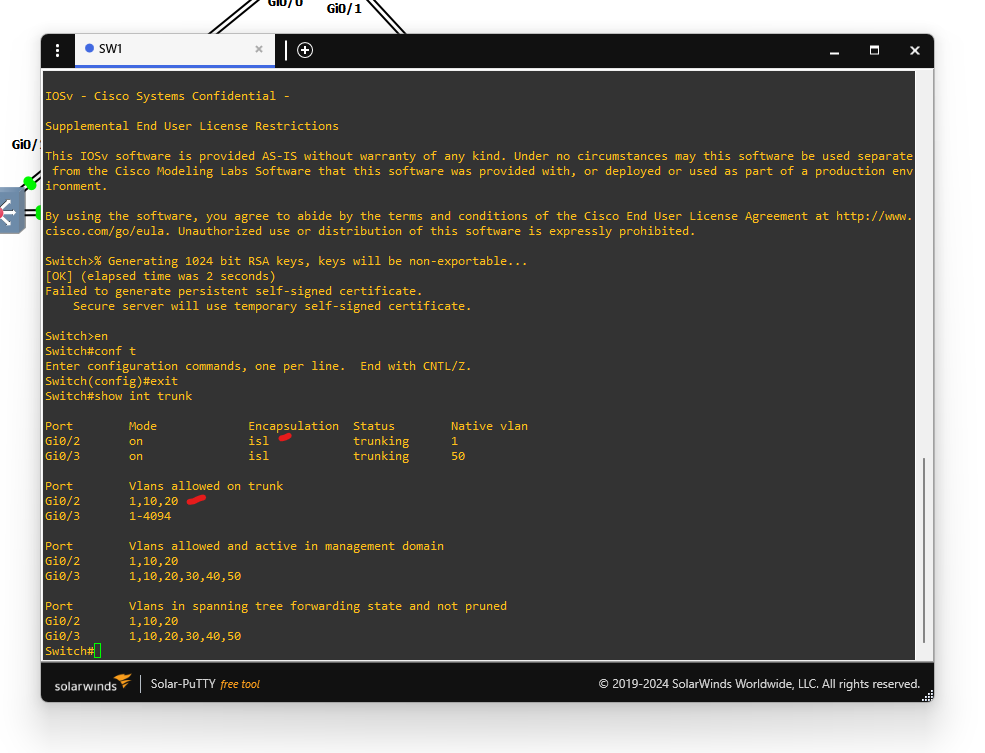
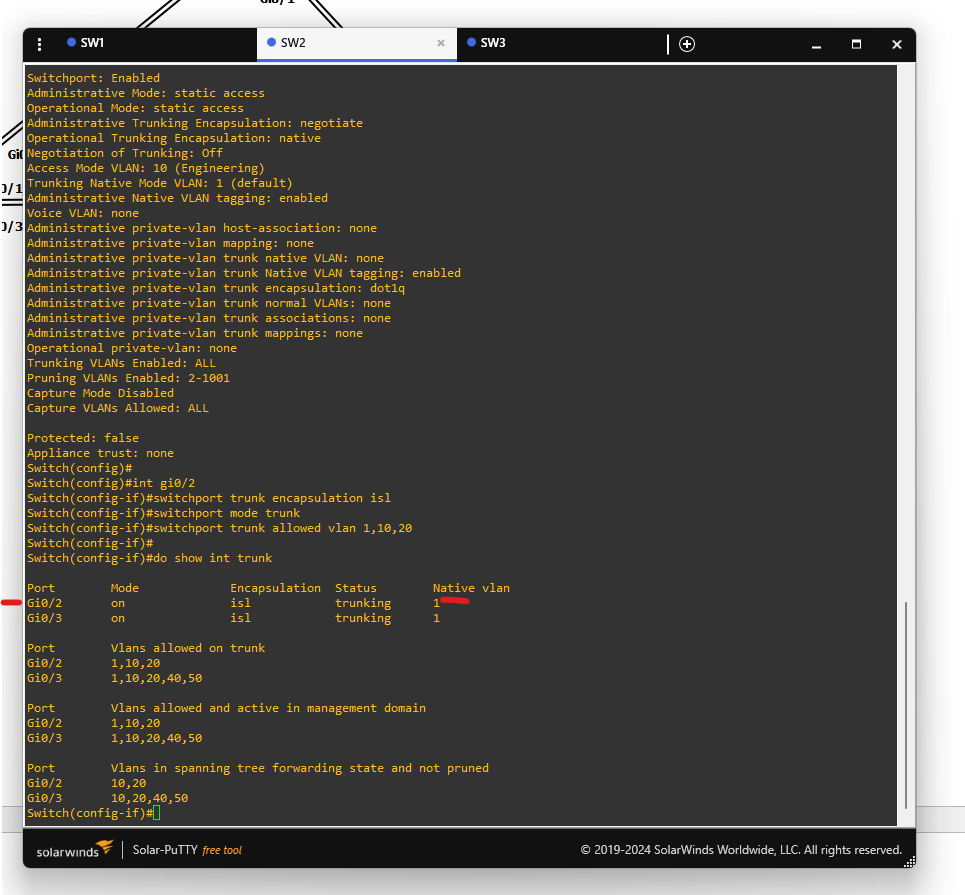
🔗 Step 3: Trunk with ISL – SW2 Gi0/2 ↔ SW1 Gi0/2
On SW2 and SW1:
interface gi0/2
 switchport trunk encapsulation isl
 switchport mode trunk
 switchport trunk allowed vlan 1,10,20
Checking the trunk interfaces for sw1 and sw2 with:
show interfaces trunk
🚫 Step 4: No Trunk Negotiation – SW2 Gi0/1 ↔ SW3 Gi0/1
On both switches:
interface gi0/1
 switchport mode trunk
 switchport nonegotiate
 switchport trunk allowed vlan 1,10,20,40,50
Checking the dtp interfaces with:
show dtp trunk
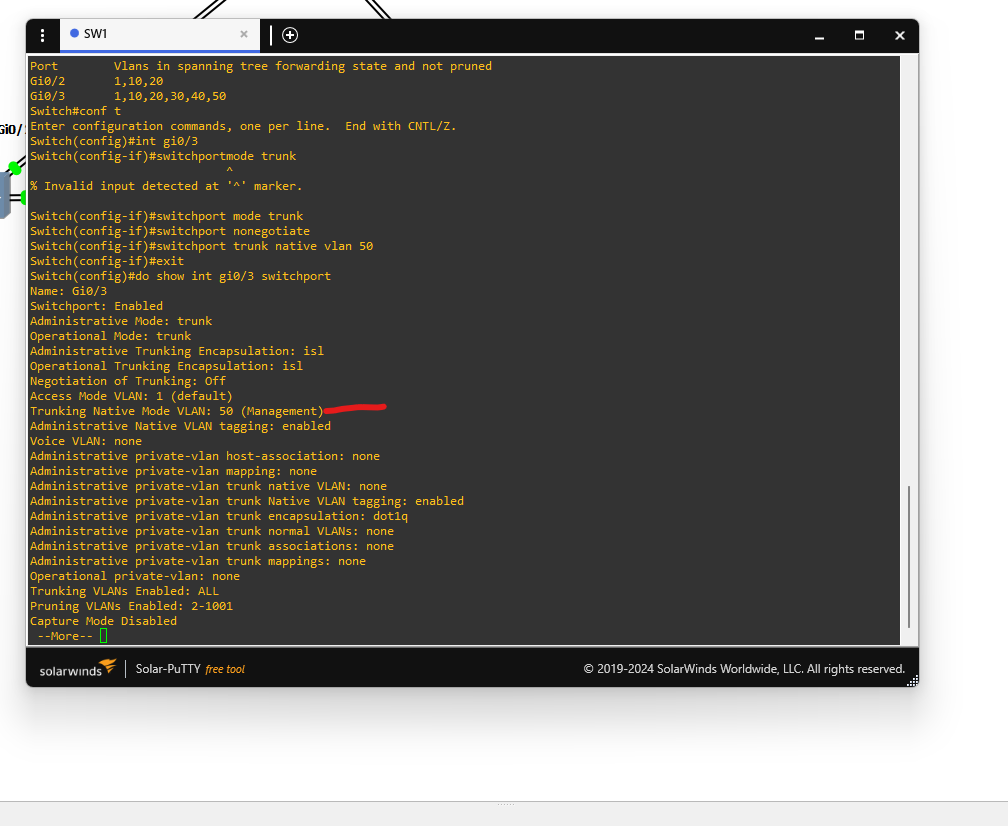
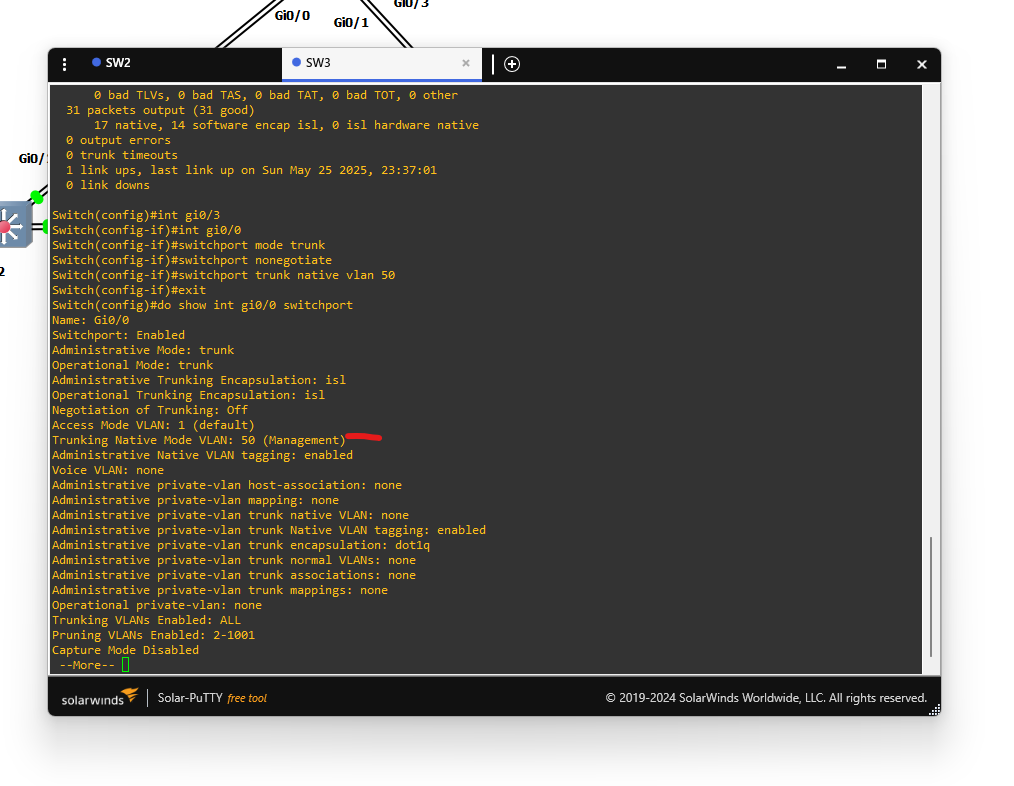
🔕 Step 5: Block DTP – SW1 Gi0/3 ↔ SW3 Gi0/0
On both switches:
interface gi0/3  ! (SW1) or gi0/0 (SW3)
 switchport mode trunk
 switchport nonegotiate
 switchport trunk native vlan 50
Checking the interfaces on sw1 and sw3:
show interface gi0/3 switchport (sw1)
OR
show interface gi0/0 switchport (sw3)
🔍 Step 6: Verify Trunks & VLAN Filtering
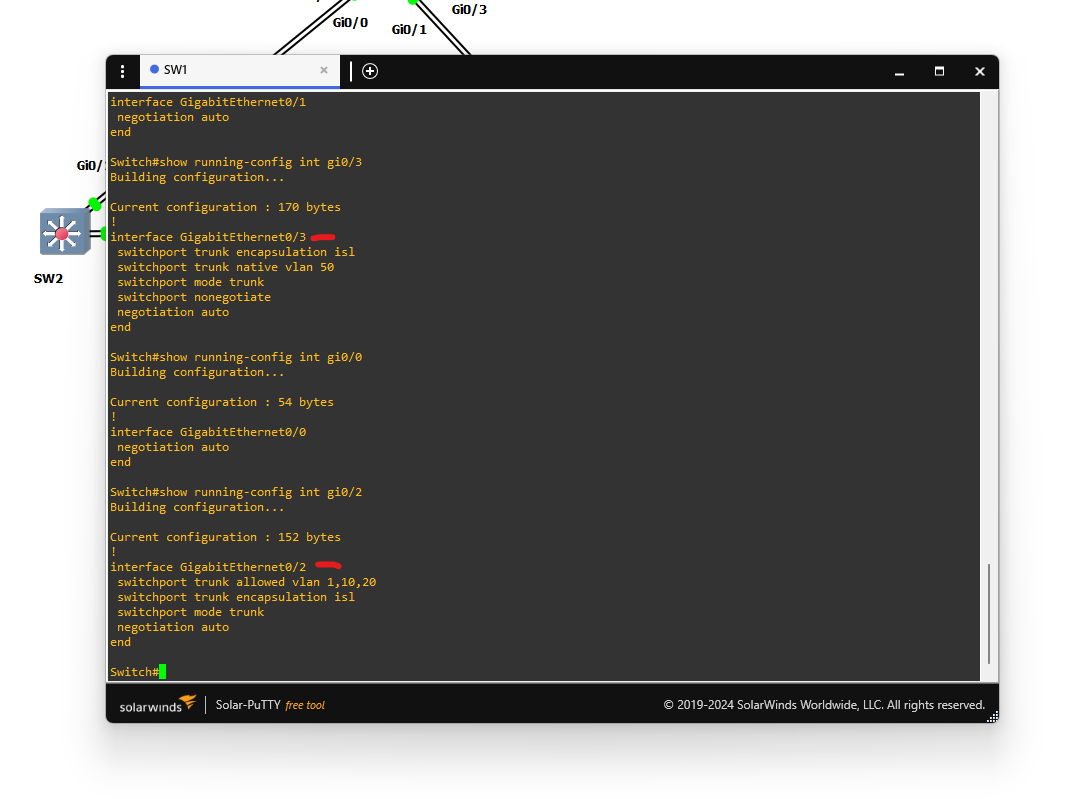
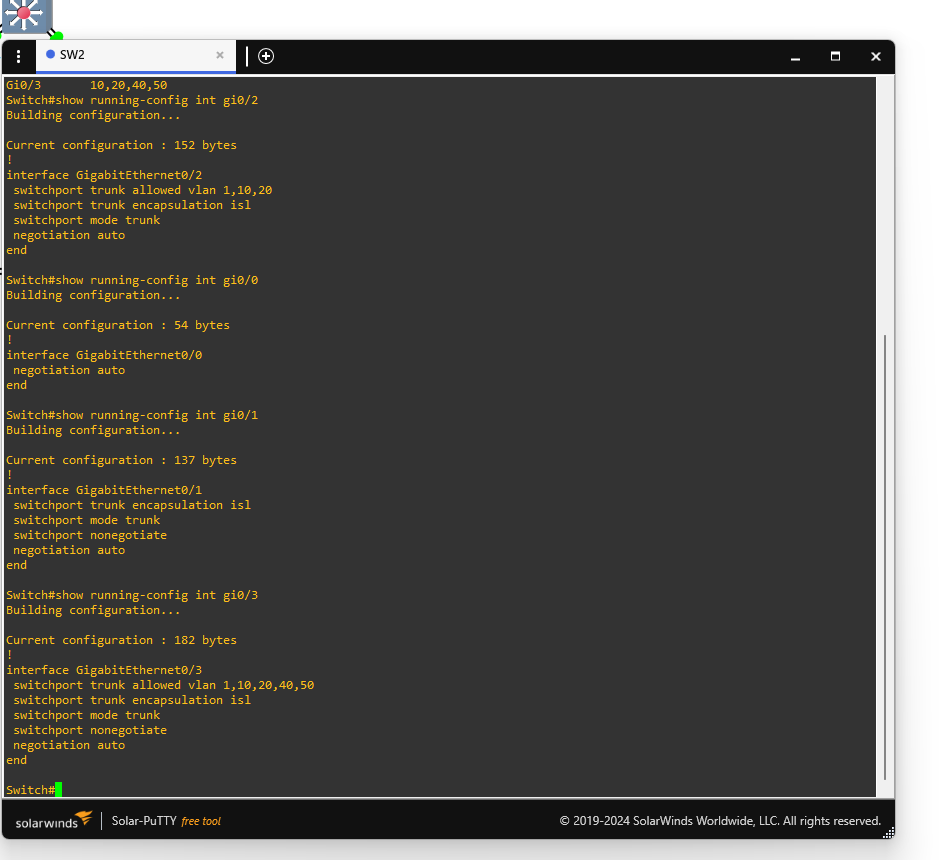
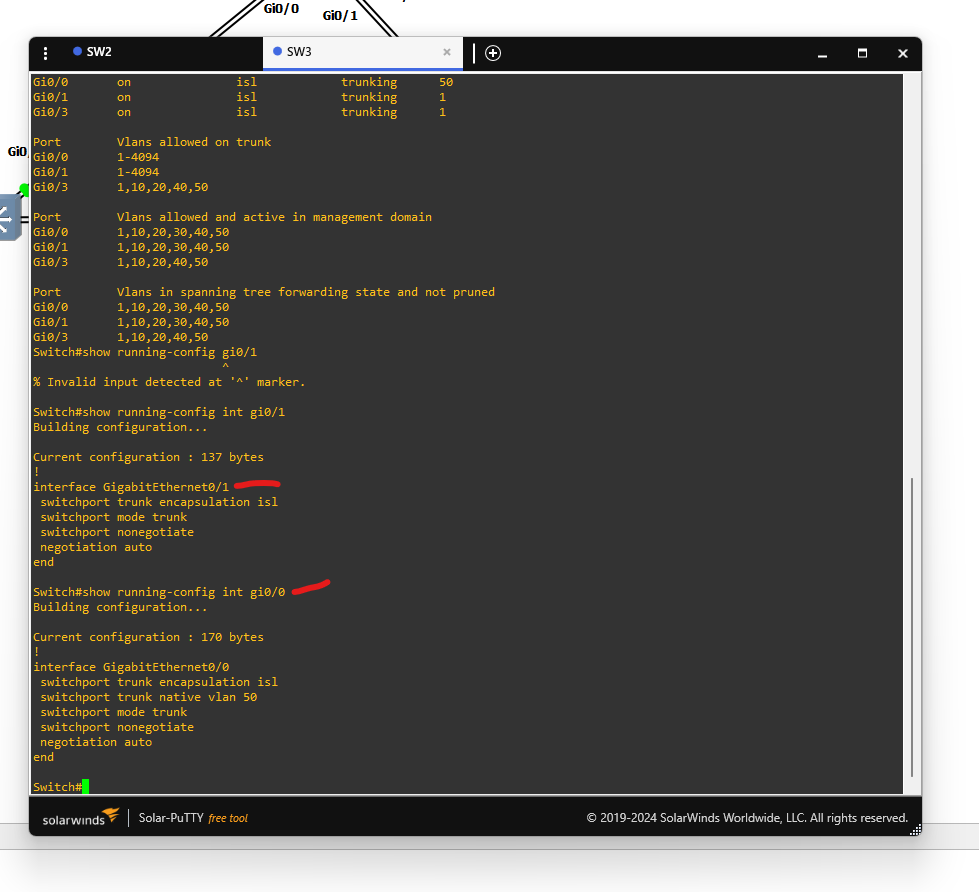
Check trunk status and allowed VLANs:
show interfaces trunk
show running-config interface gi0/x
SW1:
💾 Step 7: Save Configuration
If write memory fails, use:
copy running-config startup-config
tags: GNS3 - vlans - Networking - trunking