TB - GNS3 Lab: Spanning Tree Protocol (STP) with Loop Guard
by C. Casquatch
Loops
Lab by Rene Molenaar
GNS3Vault Lab: Spanning Tree Loop Guard (Modified Topology)
This is a step-by-step guide for completing the Spanning Tree Loop Guard lab using the following modified topology, where SW2 and SW3 are swapped to ensure Loop Guard can be demonstrated properly.
PSA: I could not, for the life of me, get SW3 to attain an alt port but SW2 would (I probably didn’t check the addresses properly; i’m going to assume human error at this point since i could get SW2 to take the alt port)
🖥️ Modified Topology
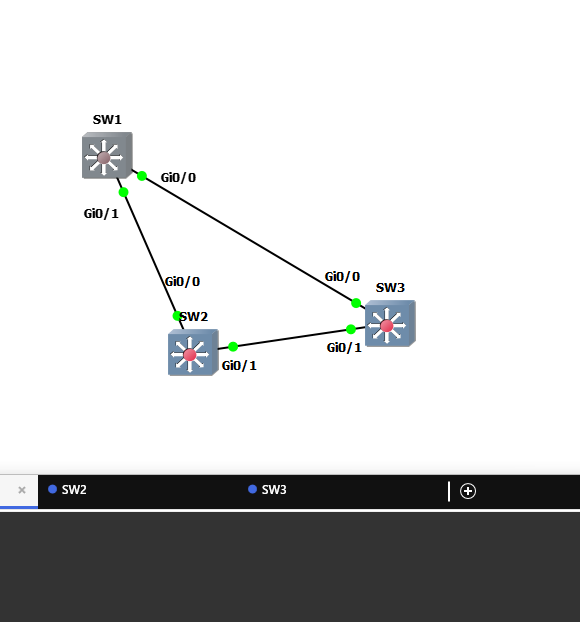
- SW1 gi0/1 <-> SW3 gi0/0
- SW1 gi0/0 <-> SW2 gi0/0
- SW3 gi0/1 <-> SW2 gi0/1
🎯 Lab Objectives
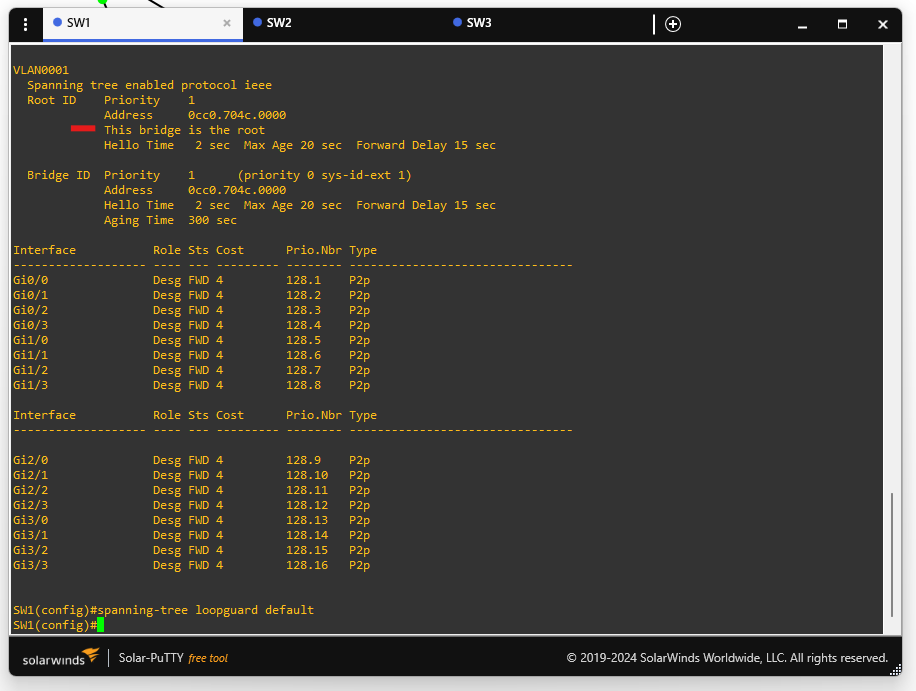
- Configure SW1 as the root bridge for VLAN 1.
- Configure your spanning-tree topology so the gi0/x interface on SW2 becomes an alternate port.
- Configure the gi0/1 interface on SW3 to not send or receive any BPDUs (simulate a loop).
- Enable Loop Guard on all switches to detect the loop and block the offending port.
- Verify the loop is detected and SW2 shuts its gi0/x interface.
🔧 Step-by-Step Configuration
🟩 Step 1: Make SW1 the Root Bridge
SW1(config)# spanning-tree vlan 1 priority 0
This sets a lower priority to ensure SW1 becomes the root bridge.
🟩 Step 2: Let STP Elect Alternate Port
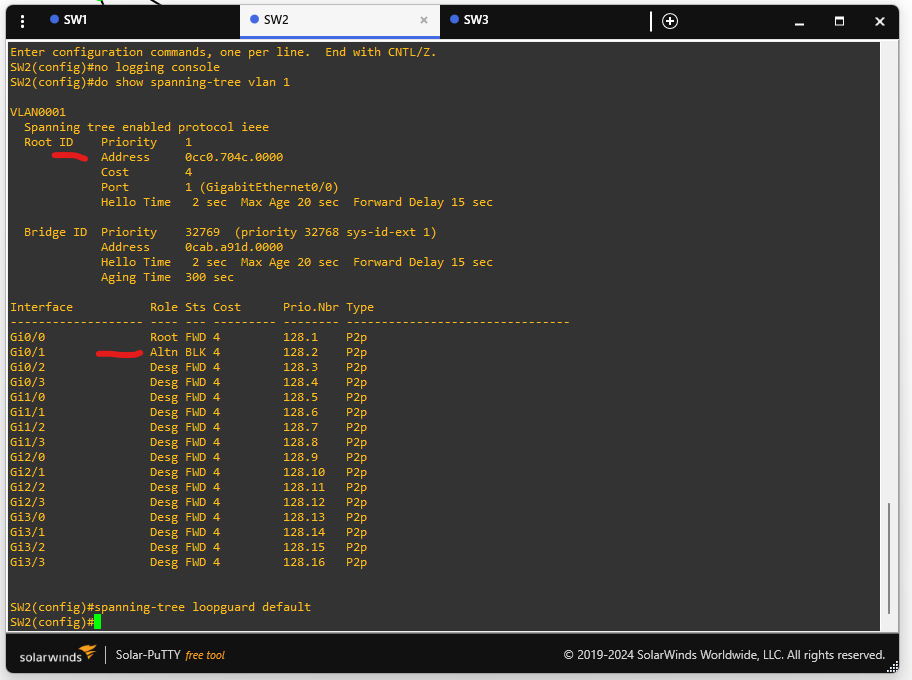
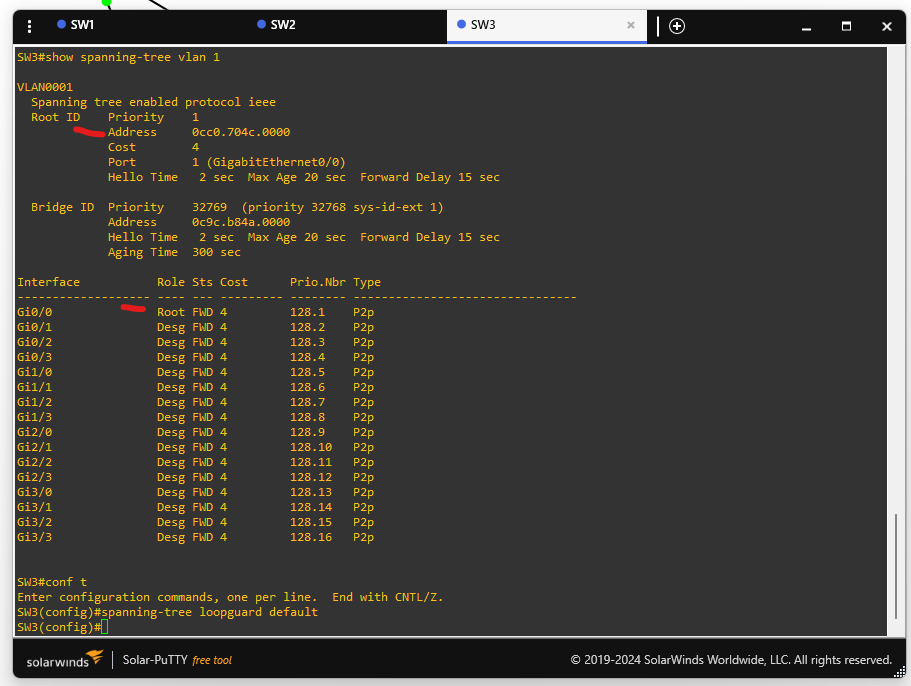
Allow STP to calculate paths. On SW2, one interface should become an alternate port.
Verify:
SW2# show spanning-tree vlan 1
You should see one port in Alternate state.
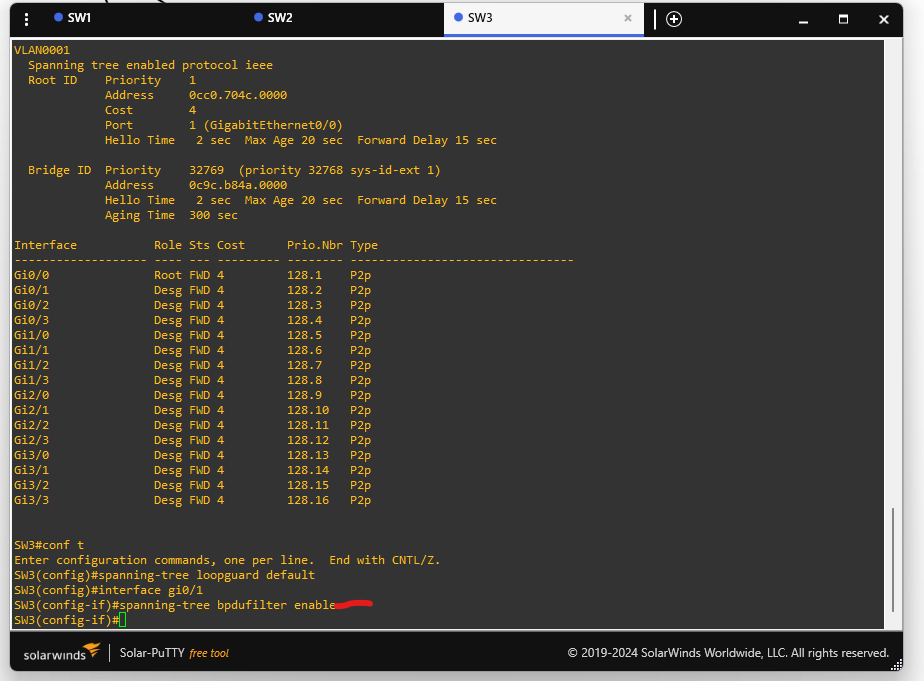
🟩 Step 3: Disable BPDUs on SW3 gi0/1
This simulates a misconfigured or malicious device.
SW3(config)# interface gi0/1
SW3(config-if)# spanning-tree bpdufilter enable
This stops BPDUs on gi0/1.
🟩 Step 4: Enable Loop Guard
Apply globally (if supported):
SW1(config)# spanning-tree loopguard default
SW2(config)# spanning-tree loopguard default
SW3(config)# spanning-tree loopguard default
Or per-interface:
SWx(config)# interface gi0/x
SWx(config-if)# spanning-tree guard loop
Apply to all inter-switch links.
🟩 Step 5: Verify Detection
On SW2, the alternate port may transition to forwarding since no BPDUs are received from SW3.
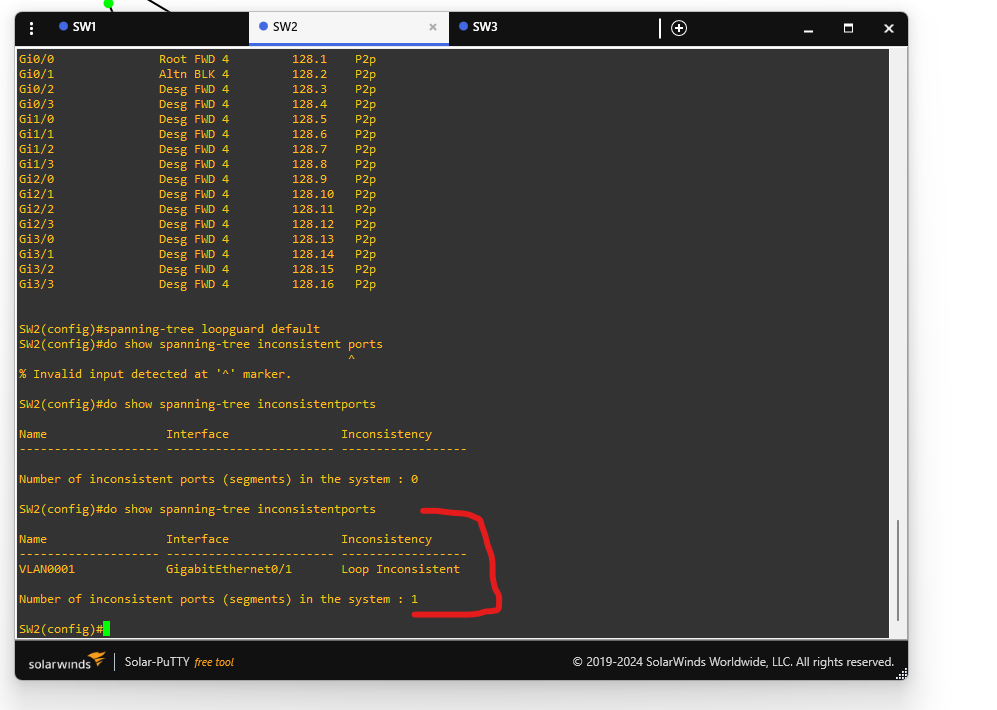
Loop Guard should detect the issue and block the port as Loop Inconsistent.
Check with:
SW2# show spanning-tree inconsistentports
You should see:
Name                   Interface                Inconsistency
--------------------- ------------------------ --------------
VLAN0001              Gi0/1                    Loop Inconsistent
This means Loop Guard is working and a loop is prevented.
🧹 Restore Normal Operation
SW3(config)# interface gi0/1
SW3(config-if)# no spanning-tree bpdufilter enable

SW2# clear spanning-tree inconsistentports
tags: GNS3 - root guard - Networking - spanning-tree