Sherlock Logjammer: Easy
by C. Casquatch
From HTB: “You have been presented with the opportunity to work as a junior DFIR consultant for a big consultancy. However, they have provided a technical assessment for you to complete. The consultancy Forela-Security would like to gauge your Windows Event Log Analysis knowledge. We believe the Cyberjunkie user logged in to his computer and may have taken malicious actions. Please analyze the given event logs and report back.”
Environments Used
- Windows OS
- Event Log Viewer
Make sure to download the Logjammer.zip to a safe place to analyse.
The original write-up for this used Splunk - I didn’t use that to analyse these files, I just used the windows event viewer and filtered on event IDs.
🔧 Tools Used
- Event Viewer or a log parser (like
EventLog Explorer,Chainsaw,Log-MD, orwevtxwith PowerShell or Python) .evtxfiles:Security.evtxSystem.evtxWindows PowerShell - Operational.evtxWindows Defender - Operational.evtxWindows Firewall - Firewall.evtx
📘 Questions & Investigation
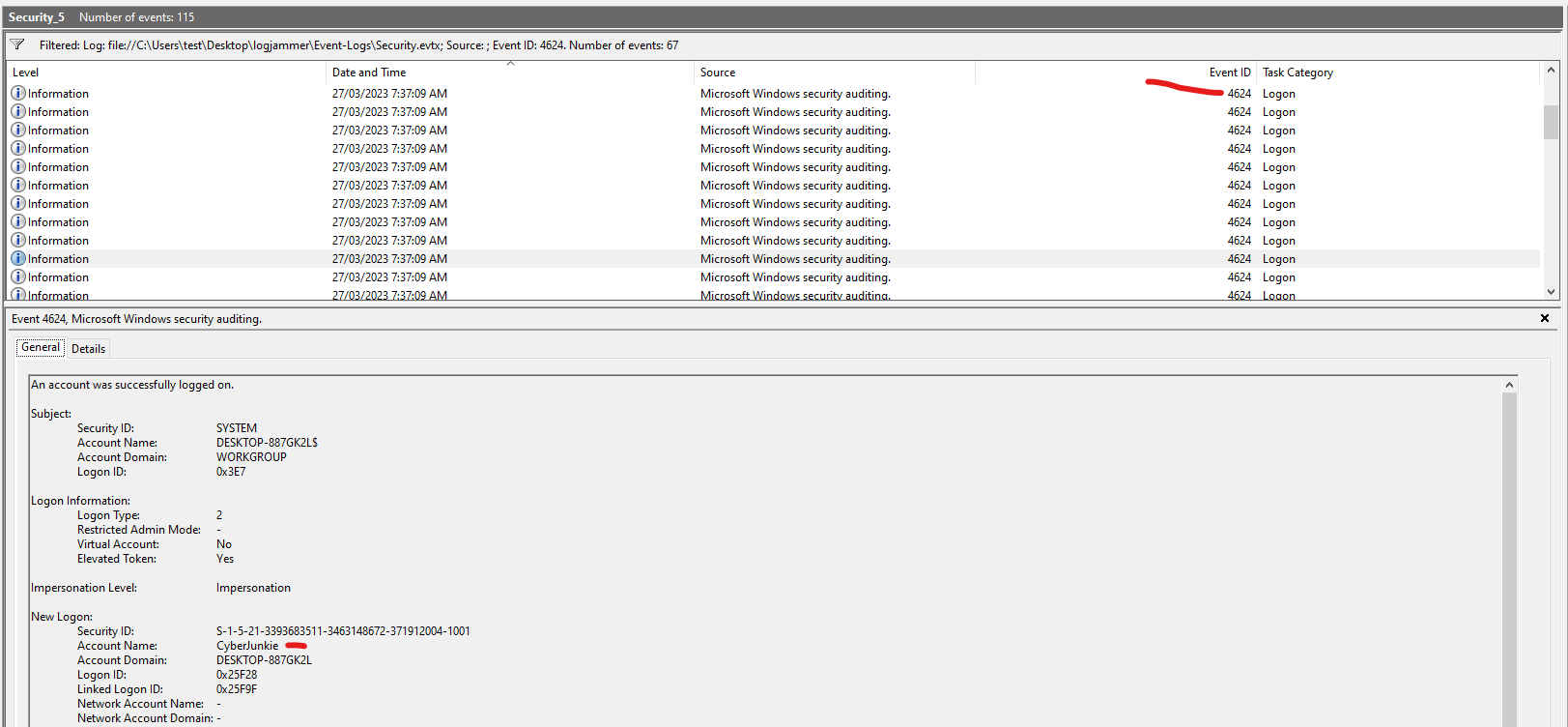
Q1: When did the cyberjunkie user first successfully log into his computer? (UTC)
- Log:
Security.evtx - Event ID:
4624(Successful logon) - Steps:
- Filter by Event ID 4624.
- Search for logs where Account Name = cyberjunkie.
- Note the Logon Type = 2 (interactive) or 10 (remote/remote desktop).
- Identify the earliest timestamp.
Q2: The user tampered with firewall settings. What was the name of the firewall rule added?
- Log:
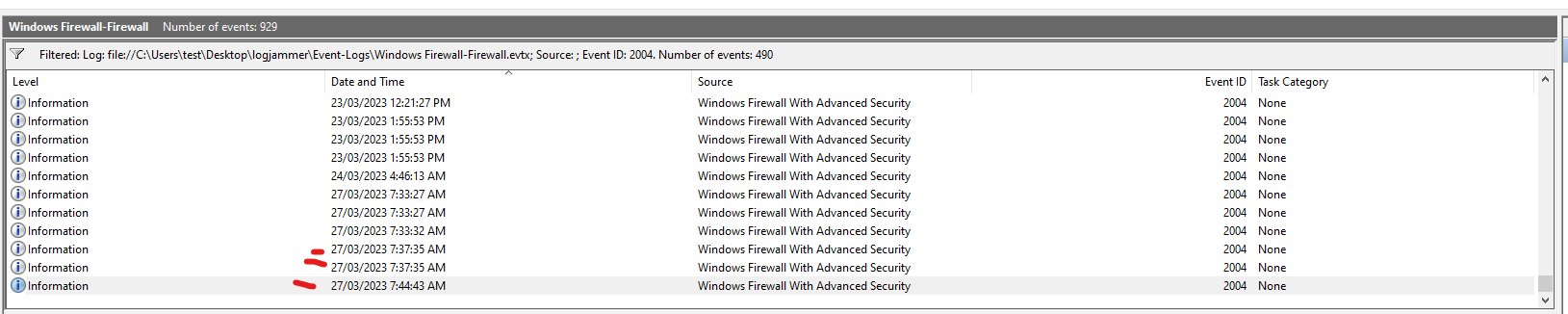
Windows Firewall - Firewall.evtx - Event ID:
2004(Rule Added) - Steps:
- Search for Event ID 2004.
- Check the Rule Name field.
Q3: Whats the direction of the firewall rule?
- From Q2 in the same event we found the firewall rule we can see if this rule was inbound or outbound.
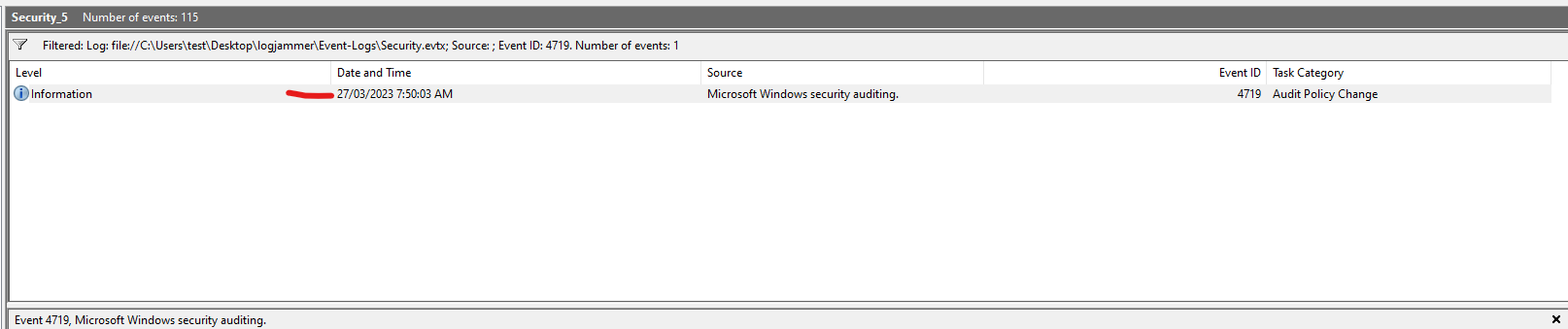
Q4: The user changed audit policy of the computer. Whats the Subcategory of this changed policy?
- Log:
Security.evtx - Event ID:
4719(Audit policy changed) - Steps:
- Filter by Event ID 4719.
- Check for
cyberjunkiein the Subject Security ID or Account Name. - Note the Subcategory field.
Q5: The user “cyberjunkie” created a scheduled task. Whats the name of this task?
- Log:
Security.evtx - Event ID:
4698(Scheduled task created) - Steps:
- Filter by Event ID 4698.
- Confirm the creator is
cyberjunkie. - Check the Task Name field.
Q6: What was the full path of the file scheduled by the task?
- Log:
Security.evtx - Event ID:
4698 - Steps:
- Use the same event as in Q5.
- Scroll through the Task Content to find the
Commandfield. - Note the full path to the file (e.g.,
C:\Users\cyberjunkie\AppData\Roaming\svc.bat).
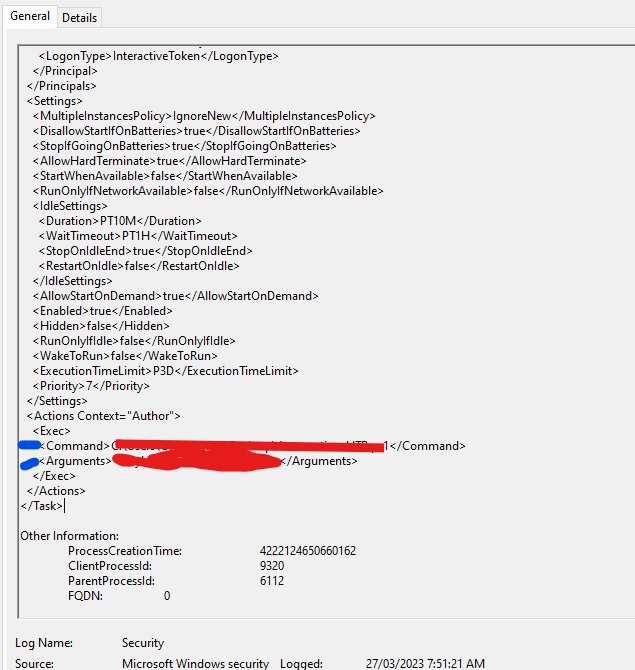
Q7: What are the arguments of the command?
- scroll through the event that we found for the last two questions
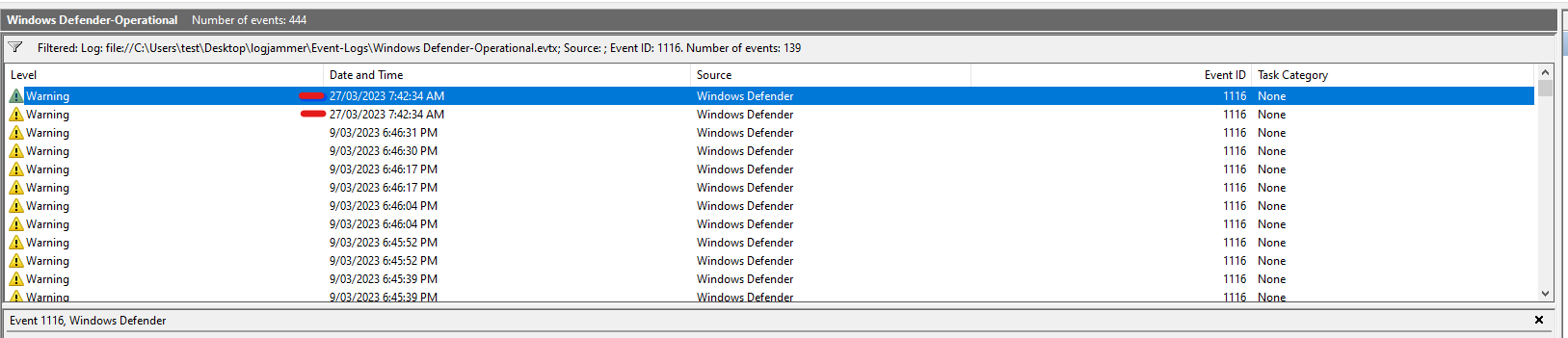
Q8: The antivirus running on the system identified a threat and performed actions on it. Which tool was identified as malware by antivirus?
- Log:
Windows Defender - Operational.evtx - Event IDs:
1116(Threat detected),1117(Action taken) - Steps:
- Filter by Event ID 1116.
- Check for Threat Name and File Name.
- Look for classic malware tools like
Mimikatz,netcat, etc.
Q9: Whats the full path of the malware which raised the alert?
- look through the same event we found for the last question to get the full path.
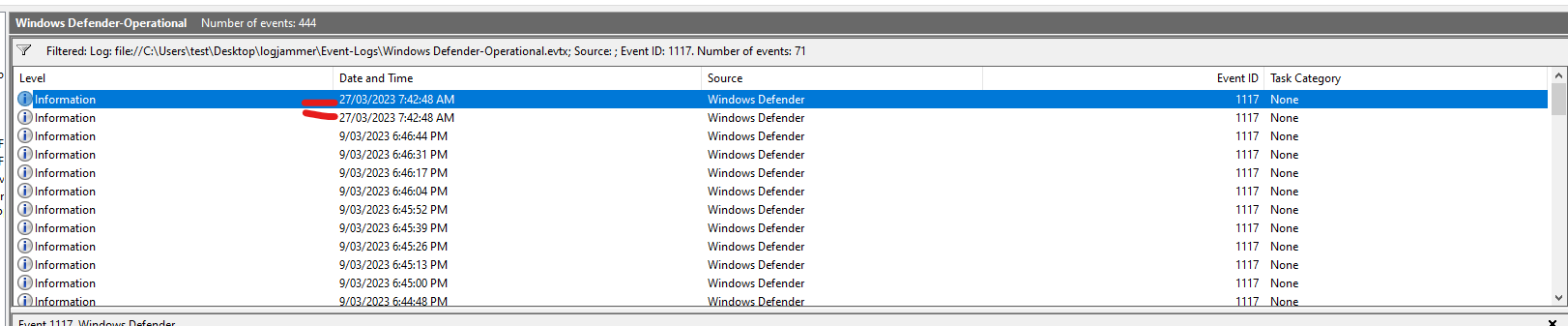
Q10: What action was taken by the antivirus?
- Event IDs:
1117(Action taken) - Steps:
- Filter by Event ID 1117.
- Check for an action taken by microsoft defender.
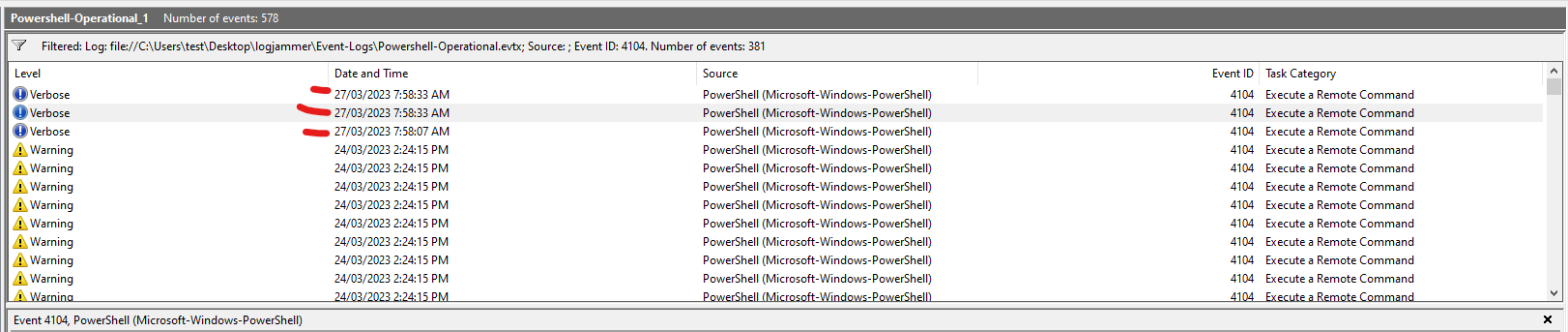
Q11: The user used Powershell to execute commands. What command was executed by the user?
- Log:
Windows PowerShell - Operational.evtx - Event ID:
4104(ScriptBlock Logging) - Steps:
- Filter for Event ID 4104.
- Look for a ScriptBlockText containing encoded or suspicious PowerShell (e.g.,
Invoke-WebRequest,IEX, etc.). - Confirm the User is
cyberjunkie.
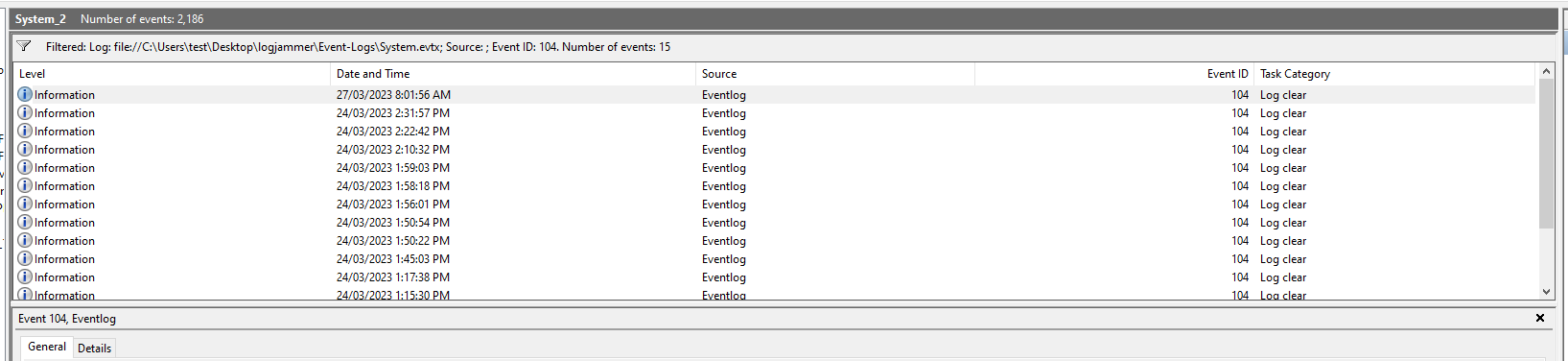
Q12: We suspect the user deleted some event logs. Which Event log file was cleared?
- Logs:
Security.evtx, others (e.g., System, PowerShell) - Event IDs:
1102(Security log cleared — only for Security.evtx)104(Other logs cleared — specific to each log file)
- Steps:
- Search
Security.evtxfor Event ID 1102. - Search other logs (System, PowerShell, etc.) for Event ID 104.
- Note which log name was cleared and by whom.
- Search
📎 Tips:
- Always cross-reference timestamps across logs.